Pay once. No seats to count.
One payment covers everyone at your company, with product updates for life. Your only running cost is the server, usually $5–6 a month.
Classic Suite
Classic email + a built-in team messenger.
$99once, for your whole team
Buy Classic Suite for $99Add step-by-step video tutorials for $15
Everything in Classic, plus:
- Direct messages & group chats
- Image, video, file & voice-note sharing
- Reactions, replies, pins & full-text search
- Runs on the same server — no extra service
Pro Suite
Most popularThe complete stack — Pro email and team chat in one.
$149once, for your whole team
Buy Pro Suite for $149Add step-by-step video tutorials for $25
Everything in Pro, plus:
- Direct messages & group chats
- Image, video, file & voice-note sharing
- Reactions, replies, pins & full-text search
- Runs on the same server — no extra service
7-day refund if it doesn’t install as documented
Instant download after checkout. Follow the docs on a supported server, and if Mailship won’t come up, you get your money back.
Everything Google and Slack do for your team, minus the rent.
One package installs all of it on your server. Features marked Pro come with the Pro tiers.
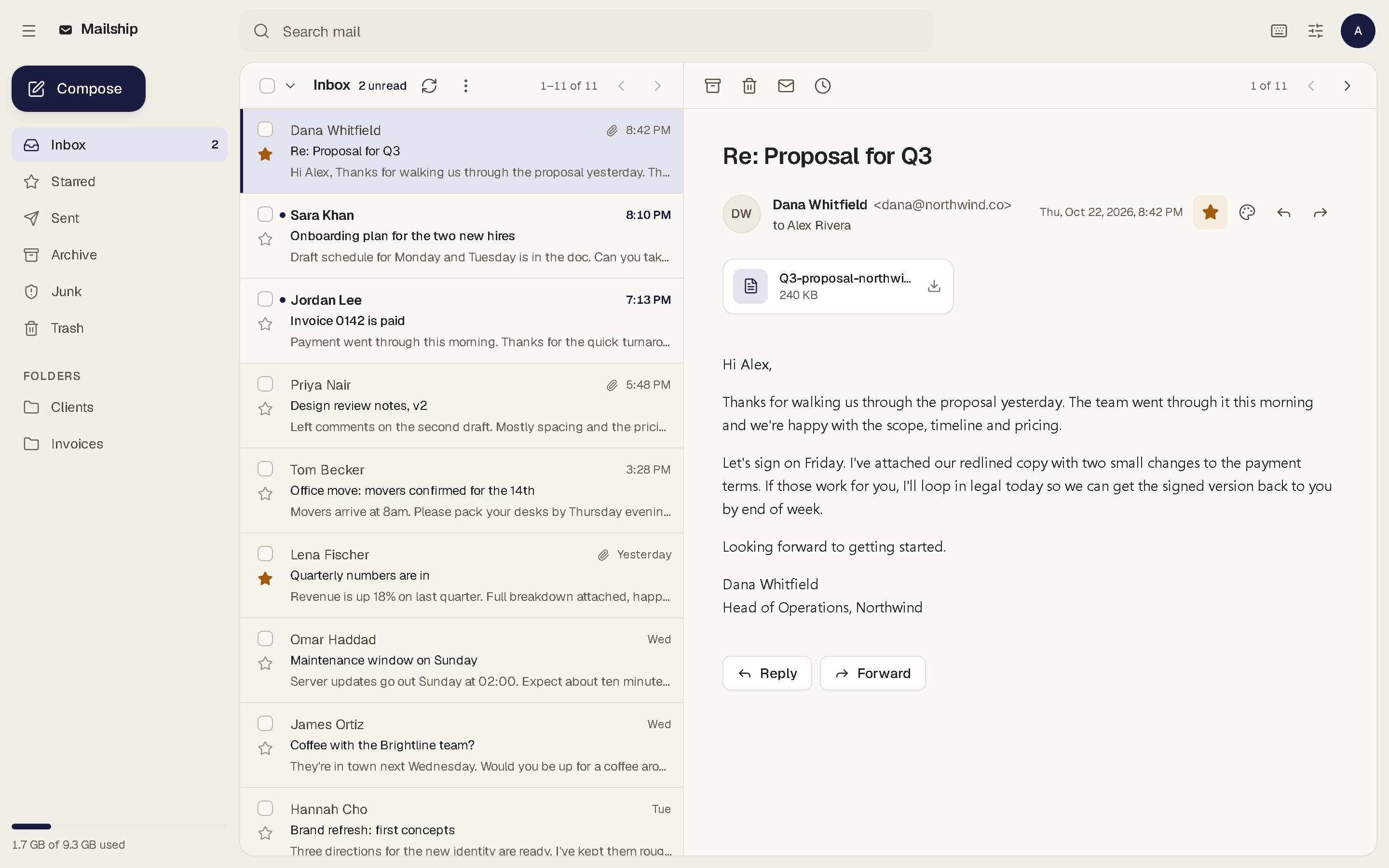
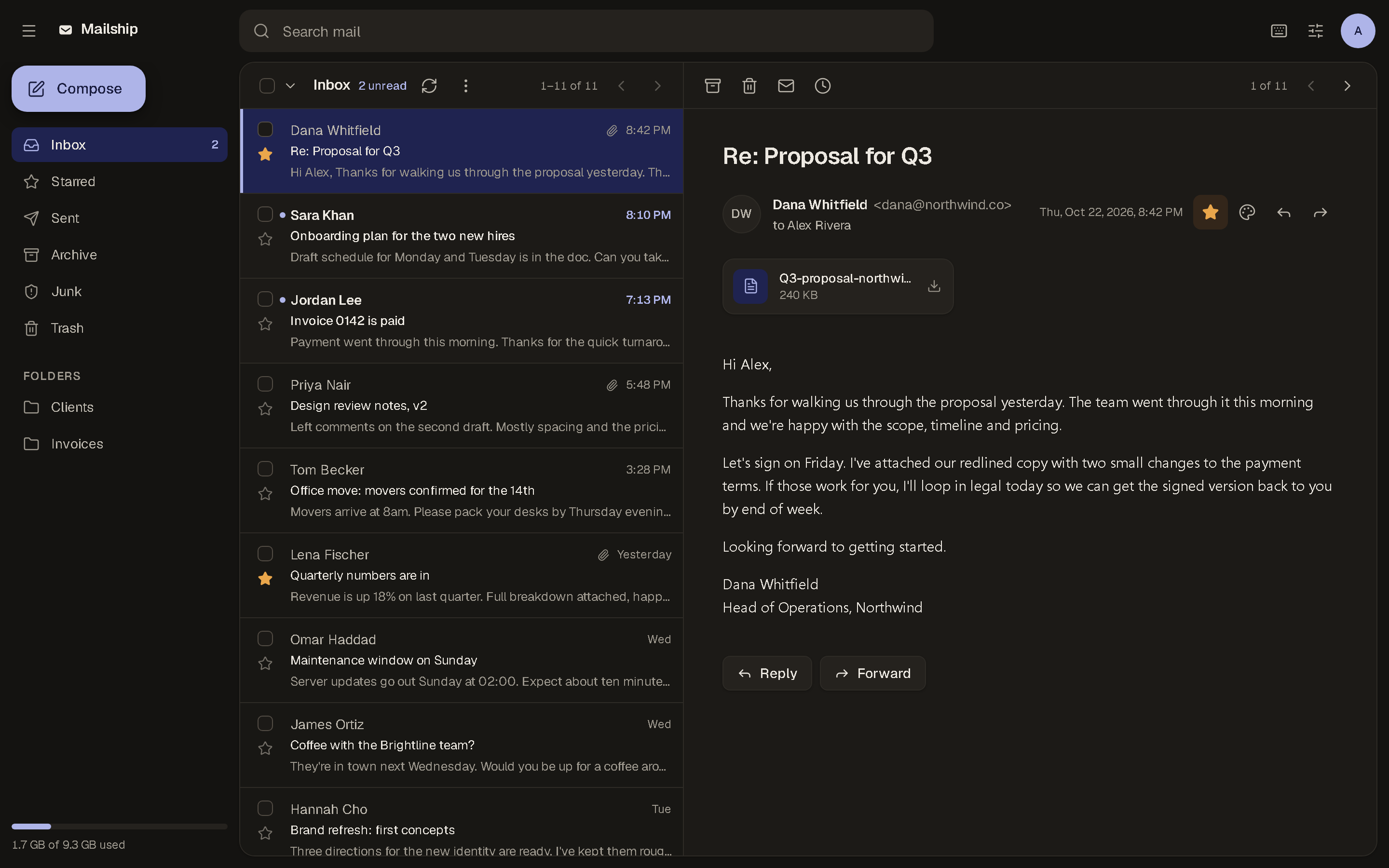
Webmail your team will actually like
Fast, keyboard-friendly and calm, in light and dark. Search, stars, folders and a reading pane, all on your own domain.
Lands in the inbox, not spam
Mailship creates the records that prove your email really comes from you, and keeps your security certificates renewed. A built-in checker tests it all before your first send.
SPF, DKIM and DMARC generated, TLS auto-renewed.
- MX@
- TXT@
- TXTmailship._domainkey
- TXT_dmarc
Installs with one command
Rent a small server, upload Mailship and run one command. The docs show you how to connect your domain, with screenshots for every major registrar.
Docker-based, on any Ubuntu VPS.
$ unzip mailship.zip
$ ./deploy.sh
Team chatSuite
A messenger for your team that runs beside your mail, so there’s no Slack bill.
- Direct messages & group chats
- Image, video, file & voice-note sharing
- Reactions, replies, pins & full-text search
- Runs on the same server — no extra service
Admin and ownership
- Admin dashboard for domains and mailboxes
- Export, back up or migrate whenever you like
- Lifetime product updates
- Unlimited domains on one serverPro
- Admin roles and a full activity logPro
- Bulk-add users from a spreadsheetPro
How Mailship compares
The open-source servers are free if your time is. The big suites are easy until the invoice arrives. Mailship is the easy one you own.
| Feature | MailshipOwn it | MailcowOpen source, DIY | Mail-in-a-BoxOpen source, DIY | Google WorkspaceRented |
|---|---|---|---|---|
| Price | $49 once | Free (DIY) | Free (DIY) | $7+ per user/month |
| Built-in team chat | Extra, per seat | |||
| Modern webmail | ||||
| Installs with one command | ||||
| No per-seat fees | ||||
| You own the data | ||||
| Runs on your server |
You pay for email and chat every month, for every person.
Google Workspace and Slack charge per seat, forever. Mailship is one payment plus the server it runs on. Move the slider to see the difference for your team.
Assumes Google Workspace Business Starter at $7 and Slack Pro at $7.25 per person per month on annual billing (their lower rate), and $10/month for the server. Mailship has no per-seat cost.
Your team keeps $7,236 over 3 years.
Choose a planRather not touch a server? We’ll run it for you.
You work directly with the people who built Mailship. It gets set up properly and stays running, and the server and data stay yours the whole time.
We usually reply within a few hours. No obligation.
- We deploy it for you
- We install Mailship on your server (or rent one for you) and handle every technical step: domain records, security certificates and spam protection. You just log in to working email and chat on your domain.
- Ongoing management
- Updates, monitoring, backups and security patches. When something comes up, you talk to the people who wrote the code.
- Migration and onboarding
- Moving off Google Workspace or Microsoft 365? We move your mailboxes across and switch your team over with no downtime.
- Custom development
- Your branding, single sign-on (SSO), integrations with your tools, or new features. We built every part of Mailship, so we can shape it around how you work.
Questions before you buy
Something not covered here? Email us and we’ll answer before you spend anything.
Yes. You pay once and get product updates for life. There are no per-user or monthly fees from us. Your only running cost is the server it runs on, usually $5–6 a month.
Run your own email by the end of the week.
Pick a plan, install it in an afternoon and move your team over. Or tell us about your setup and we’ll do it for you.